


Kids Color Games: Baby Drawing
4.3138.00 Reviews
App Specs
- Version
- 3.132
- Updated On
- License
- Free
- Downloads
- 5,000,000+
- Developer
- Bimi Boo Kids Learning Games for Toddlers FZ-LLC
- Categories
- Educational
- Platform
- Android, iOS
Screenshots

 Analysis by AppCompare
At home, a drawing app often gets passed between a child, a parent, and sometimes a sibling, so what matters is not only whether it is fun but whether it fits into ordinary shared-device life. Kids Drawing Games: Coloring is a free educational game from Bimi Boo Kids Learning Games for Toddlers FZ-LLC, built around coloring and drawing for young children. I see its appeal in the low-pressure activity: a child can sit down with a device and make something without needing a pile of paper, washable markers, or an adult to set up a project.
A practical fit for short stretches of family time
Picture a parent preparing dinner while a preschooler wants something to do nearby. A coloring activity can be a calmer choice than a fast-paced game, and the child can move between a picture and open-ended drawing as their interest changes. I would use it as a brief creative break, not as a promise that a screen will keep every child occupied for a long stretch. Some children enjoy repeating familiar pictures; others want to move on as soon as they have chosen a few colors.
It can also work during a quiet moment on a shared tablet, provided an adult is close enough to help if the child gets stuck or taps away from the activity. For a household with several children, I would treat it as a turn-taking activity rather than assume each child will have a separate profile or private collection. A simple routine—one child draws while another chooses the next picture—can make the device feel like a shared art table instead of a source of arguments.
What to decide before handing over the device
Because this is a children’s game, I would explore it with the child before making it part of a regular routine. That gives you a chance to see how the screens are organized, whether the available activities suit the child, and what appears when they move between sections. I would also check the device’s own purchase and access settings rather than assume the game itself manages household rules. That distinction is especially useful when a tablet is shared with adults or older children.
The game is free to start, with optional in-app purchases priced from $2.99 to $9.99 per item. That makes a quick parent check worthwhile before a young child explores independently: decide whether purchases are allowed on the shared device and set the device-level safeguards that match your household. I would not hand a small child a payment-enabled screen and expect them to understand the difference between choosing a color and making a purchase.
Coordination matters just as much as access. If one child’s drawing session is interrupted because someone needs the device, it helps to agree in advance on a stopping point, such as finishing the current picture. That is a more realistic household boundary than promising a fixed routine the app may not enforce. And if a child wants to show a picture to relatives, I would plan to view it together on the device rather than assume there is a built-in sharing workflow.
Age, trust, and the adult’s role
The game is rated Everyone and is aimed at children, but an age label is only one part of deciding whether it suits a particular child. I would pay attention to how confidently they can navigate the choices and whether they can stop when asked. A younger child may need an adult beside them at first; an older child who enjoys drawing may prefer more room to experiment than a simple coloring activity provides.
Worth Reading Before You Choose

EA SPORTS FC Mobile 26 Is a Bigger Football Game, but It Takes Time

Flipboard Shows What News Apps Must Do Beyond the Feed

Switching to Android Auto Means Rethinking Your Driving Routine

Google Calendar Makes a Crowded Week Easier to Manage

Ludo King Makes the Most of the Minutes Between Plans

Baby Panda World Brings Quick Play to Modern Phones, but Its Game Library Feels Busy
Its developer, Bimi Boo Kids Learning Games for Toddlers FZ-LLC, focuses on learning games for young children. That context helps explain the approachable presentation, but I still recommend that adults try the activity first and set expectations in their own home. The game’s current version is 3.132 and it runs on Android 7.0 or later, which is useful to know when deciding whether an older household device can be used for it.
Getting Started with a Burst of Colors
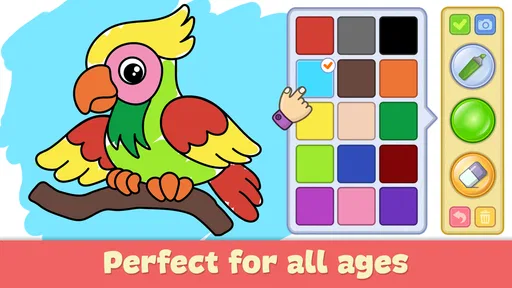
The first thing that strikes you when you open Kids Drawing Games: Coloring is the vibrant interface. It’s like stepping into a digital art studio filled with all the colors of the rainbow. The app’s design is super intuitive, which is fantastic because kids don’t have the patience for complicated menus. Trust me, the last thing you want is a frustrated toddler!
Once you’re in, you’re greeted with a bunch of options ranging from coloring pages to drawing games. The variety is impressive, and it’s great because it means your child can switch things up without getting bored. There’s something about the simplicity of choosing a color and filling in shapes that just clicks with the kiddos.
Features that Spark Creativity
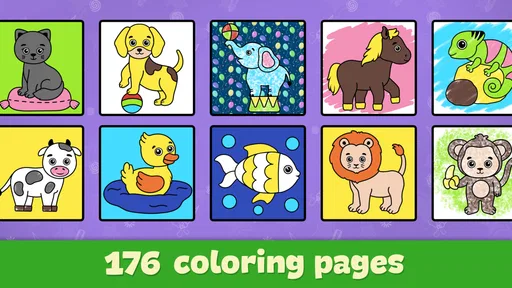
Now, let’s talk features. The app isn’t just about mindless coloring. It’s packed with tools that foster creativity and learning. One of the standout features for me is the coloring book section. It’s loaded with a diverse range of pictures, from animals and nature to fantasy and holiday themes. And the best part? New content is added regularly, keeping things fresh.
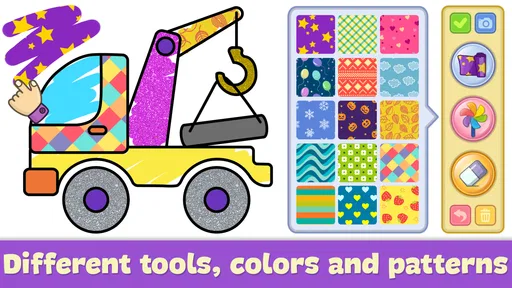
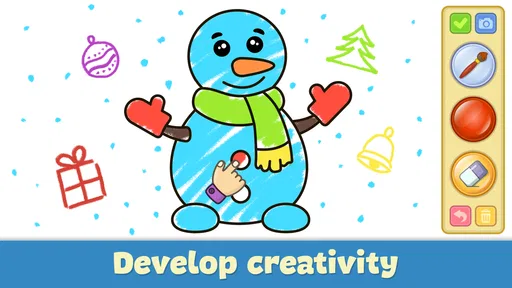
Another cool feature is the free drawing mode. It gives kids a blank canvas to express their imagination. They can use different brush sizes, shapes, and a palette of colors to create anything they dream up. It’s like having an endless supply of art materials without the mess!
How to make the activity more rewarding
I find that a small prompt can turn a quick coloring session into a more thoughtful activity. Instead of asking a child to finish a picture, try inviting them to choose colors for a particular mood, invent a name for the character, or explain what is happening in the scene. The app supplies the canvas, but the conversation supplies the storytelling. This works especially well when a child is too young to describe what they are drawing in detail; pointing to colors and shapes is already a useful way to share an idea.
There is also a practical trade-off between guided coloring and the blank canvas. A ready-made picture can help a child who wants a clear starting point, while free drawing gives more freedom but can feel daunting to someone who is unsure what to make. I would offer the choice rather than steer every child toward one mode. If they keep returning to the same kind of picture, that is not necessarily a problem; repetition can be the part they find satisfying.
Learning While Having Fun
What I love about this app is how it sneaks in learning opportunities while kids think they’re just playing. It helps improve motor skills as they navigate through images and choose colors. Plus, it’s fantastic for building concentration and attention to detail. You’d be surprised at how focused kids get when they’re trying to stay within the lines!
There are also mini-games that challenge kids to solve puzzles or match colors, subtly teaching them problem-solving skills. It’s a win-win because they’re having a blast while picking up valuable skills along the way.
Where it sits beside paper and other children’s games
Compared with a physical coloring book, this game avoids the need to find a clean table or replace a marker that has dried out. That convenience is meaningful on a trip or during a short wait, and the digital canvas is forgiving for a child who wants to try a different color. Paper still has the edge when you want a finished page to put on the fridge, when several children need to draw at once, or when you want a screen-free activity that involves the whole table.
Against broader drawing apps, its child-focused coloring and approachable choices are a better fit for a young beginner than a tool-heavy art program. The trade-off is depth: a child who wants precise control, layers, advanced brushes, or a more open-ended creative workspace may outgrow this style and be happier with a dedicated drawing app alongside adult guidance. I would choose this game for easy, casual exploration, not for teaching formal illustration techniques.
Its average rating is 4.3 from around 19,000 ratings, and it has over 5 million installs. Those figures suggest that many families have tried it, but they do not tell me whether it will suit an individual child. I would put more weight on watching how your own child responds: do they enjoy making choices, return to the activity willingly, and move between options without getting frustrated?
Parental Controls and Safety
We all know how important it is to keep our little ones safe, especially online. Thankfully, Kids Drawing Games: Coloring is designed with parental controls that give you peace of mind. You can set limits on app usage, ensuring your child doesn’t spend too much time glued to the screen. Plus, there’s no risk of in-app purchases running up your credit card bill without your knowledge.
Another aspect I appreciate is the ad-free environment. There’s nothing more annoying than a random ad popping up during playtime. This app keeps things smooth and uninterrupted, allowing kids to focus on their artwork.
Room for Improvement?
No app is perfect, and while this one comes pretty close, there are a couple of areas that could use a little tweak. For instance, while the coloring options are vast, sometimes the app can run a bit slow when loading new pages. It’s a minor hiccup, but worth mentioning, as it can be a little frustrating for impatient artists.
Also, it might be nice to see a feature that allows kids to share their artwork with family and friends. While it’s lovely to save their creations to the device, having an option to send a digital masterpiece to grandma would be a sweet touch.
Who should choose something else?
I would skip it if your main goal is structured art instruction, a strong progression of lessons, or collaboration across several children. It is better understood as an accessible creative pastime than as a drawing course. A child who dislikes touchscreens, needs a highly predictable single task, or becomes upset when an activity ends may also do better with paper and a clear adult-led stopping point.
For families who do install it, I suggest trying a short session first and noticing what the child actually uses: the ready-made coloring pages, the open drawing space, or the game-like activities. That first look can help you decide whether it belongs in a regular rotation or is simply useful for occasional downtime. The game was released on June 18, 2015, and its continued presence in the category makes it familiar to many users, but the best test remains whether its particular mix of activities holds your child’s interest today.
Conclusion: A Canvas of Endless Possibilities
All in all, Kids Drawing Games: Coloring is a fantastic app that keeps kids entertained while nurturing their creativity and development. It’s user-friendly, visually appealing, and loaded with features that make it a go-to choice for parents looking to combine fun with learning.
So if you’re on the hunt for an app that offers more than just a way to pass the time, this one’s definitely worth checking out. Whether your child is a budding artist or just loves to doodle, they’ll find endless possibilities waiting for them in this colorful digital world. Grab your canvas and let the creativity flow!
My household verdict
For shared family use, I see this as a handy option when one child wants a simple creative activity and an adult can stay nearby, especially when drawing materials are inconvenient. Its strongest point is how quickly a child can move from choosing a picture to making marks; its weaker point is that convenience does not replace the flexibility of paper or the depth of a more advanced art tool. The free starting point makes it easy to try, while the optional purchases mean I would still set device boundaries first.
I’d recommend giving it a place in a household’s rotation if your child enjoys coloring and you want a low-pressure digital activity. I would not rely on it as a substitute for shared art time, a screen-time plan, or an art-learning program. Used with those expectations, it can be an enjoyable little canvas rather than another app that promises to do everything.
Pros
- Interactive and engaging for young children.
- Wide variety of colors and tools available.
- Easy-to-use interface for kids.
- Encourages creativity and imagination.
- No in-app purchases needed for full access.
Cons
- Limited free content without subscription.
- Advertisements can be distracting.
- Requires internet for some features.
- May not challenge older children.
- Some tools lack precision for detail work.
FAQs for Kids Color Games: Baby Drawing
What age group is Kids Drawing Games: Coloring suitable for?
Kids Drawing Games: Coloring is designed primarily for children aged 3 to 8 years old. The app features simple, intuitive controls and vibrant, engaging graphics that cater to young learners. It provides a safe and fun environment for children to explore their creativity through drawing and coloring activities, ensuring age-appropriate content throughout.
Does Kids Drawing Games: Coloring require an internet connection to function?
No, Kids Drawing Games: Coloring does not require an internet connection to function. The app is fully operational offline, making it a great option for on-the-go entertainment or in situations where internet access is limited. However, some features like updates or additional content may require a connection.
Are there in-app purchases or ads in Kids Drawing Games: Coloring?
Kids Drawing Games: Coloring offers a free version with optional in-app purchases for additional content, such as more coloring pages or tools. The app may contain ads, but they are designed to be child-friendly and non-intrusive. A premium version is available for purchase to remove ads entirely.
What features does Kids Drawing Games: Coloring offer to enhance learning?
The app provides a range of educational features, including color recognition, fine motor skills development, and creativity enhancement. It includes various drawing tools, interactive tutorials, and themed coloring pages that align with educational themes, helping children learn while having fun in an engaging digital environment.
Is Kids Drawing Games: Coloring safe for children to use?
Yes, Kids Drawing Games: Coloring is designed with child safety in mind. It features parental controls, ad filters, and a user-friendly interface to ensure a safe experience for young users. The app complies with COPPA regulations, ensuring that all content is appropriate and secure for children.


